AI Jingle Maker
Radio jingles, just by asking
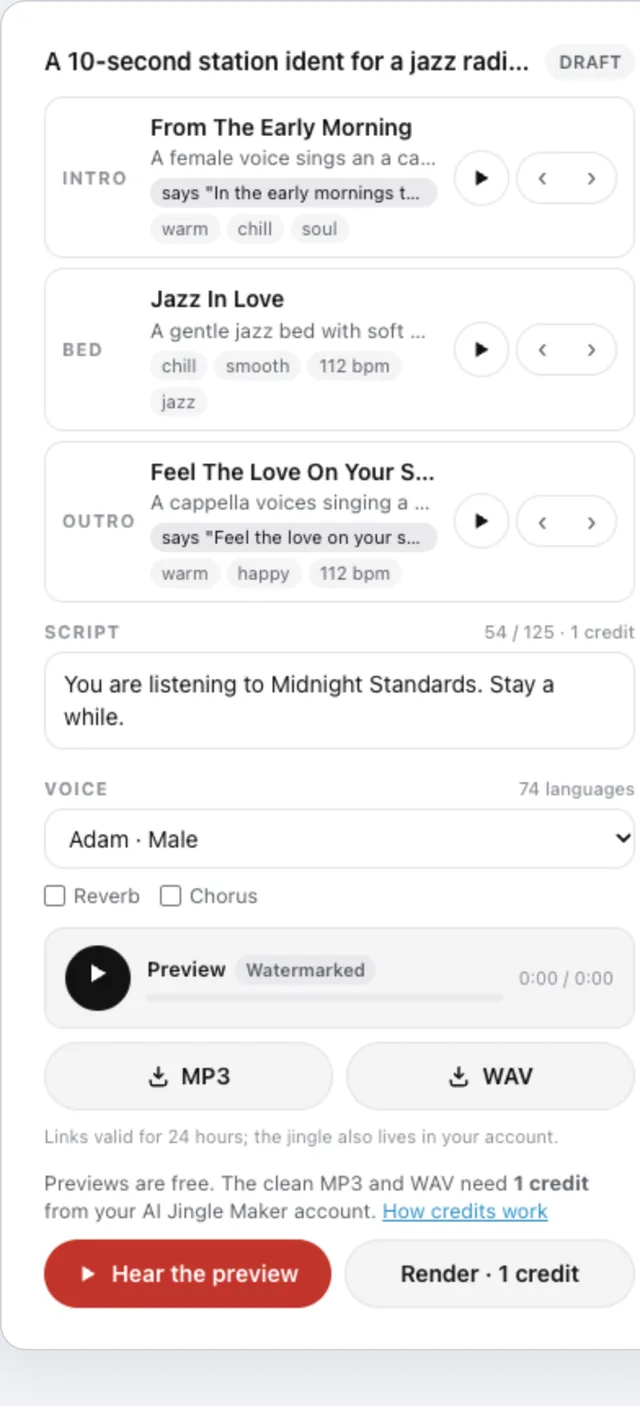
Describe the jingle you need, for a radio station, a podcast, a DJ set, an event or a shop, and AI Jingle Maker builds a draft from its licensed catalogue of about 970 intros, music beds and outros: three sounds that fit, a short script in your words, and a voice chosen from 99 voices in up to 74 languages. The draft card in the conversation lets you hear each sound, swap any of them, edit the script, change the voice and play a watermarked preview of the whole jingle.
What you can ask
- Make a 10-second ident for my late-night jazz radio show, warm, male voice
Example path → ·
MCP connector
- Server URL
https://mcp.aijinglemaker.com/mcp- Login
- OAuth
- Protocol
- MCP 2026-07-28 · Interactive UI
- Instructions
AI Jingle Maker makes short radio-style jingles: an intro sound, a music bed under a voice-over, and an outro, from a licensed catalogue of about 970 sounds and 99 voices. Start with from the user's brief; it picks the three sounds and sets the script (write a script of 125 characters or fewer from the brief when the user gave none, never with placeholders). Adjust with (one slot: a direction, or a few words) and (words, voice, reverb/chorus). gives a free, watermarked preview of the whole jingle. produces the clean MP3 and WAV and spends 1 credit (2 if the script is over 125 characters) from the user's AI Jingle Maker account, so call it only when the user clearly asks to render; it needs the user to connect their account. If the account has no credits, say that credits are managed on their AI Jingle Maker account page; do not quote prices and do not send them to a checkout. After the tools for a turn have run, call once, as the last step, to display the card, even when a render or preview was refused (no credits, limits); never show it more than once per turn. draft_id, jingle_id and sound ids are internal handles: pass them between tools but never write them in replies to the user. Describe sounds in one short clause each and quote the words a vocal intro or outro says. Keep replies short: the card shows the draft.
Tools
Reads data6
Changes data5
Skills
1 in the ChatGPT listing
Screenshots