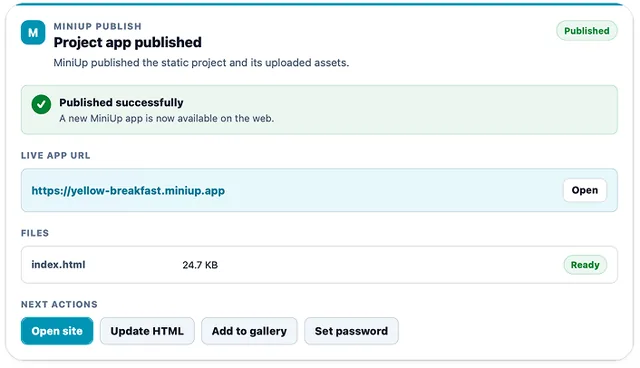
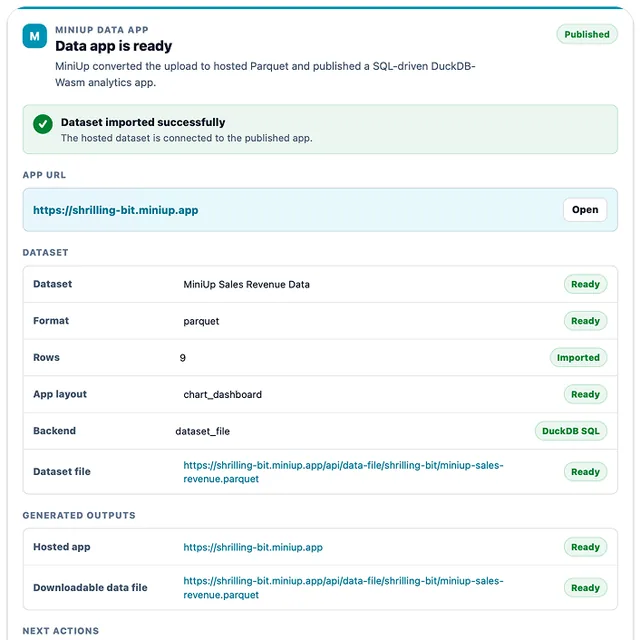
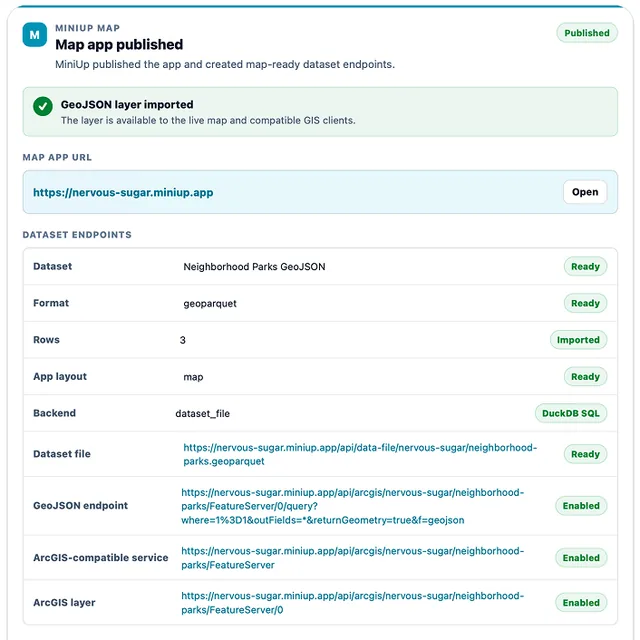
Turn chat into live web apps
MiniUp turns your your AI conversation, files, and data into live web apps without a build pipeline or Git workflow. Start with HTML, a project, or uploaded data, then keep improving the same app from your AI.
What you can ask
- Turn this HTML into a live web app.
Example path → ·
MCP connector
- Server URL
https://www.miniup.io/api/mcp- Login
- OAuth
- Protocol
- MCP 2026-07-28 · Skills
- Instructions
Use these MiniUp tools only when the user asks to create or publish a hosted MiniUp app, update an existing MiniUp resource, or inspect/manage their MiniUp account. A mention of a page, map, chart, file, or dashboard alone is not authorization to publish. Do not invoke MiniUp for general questions, weather, summaries, calculations, file analysis, or code-only requests that do not ask for hosting or MiniUp resource management. Confirm unclear publishing intent before any write. Apply the following architecture guidance only within an authorized MiniUp task. This ChatGPT connection supports non-paid, secret-free Functions; payment setup, paid Function execution/deployment and secret management are unavailable. Never ask for credentials in chat or start purchases. One publish. App + API + AI + Data. Treat a page, dashboard, tracker, map, form, report or portal request as application intent. First understand the functional goal, inspect existing resources and determine required capabilities. Select or create the smallest supporting architecture through existing authorized tools, connect its real URLs, then build the no-build HTML/CSS/JavaScript UI and validate the complete workflow. Static content needs only a Site. Read-only uploaded-data analytics needs a hosted dataset plus Site; prefer GeoParquet for spatial data. Persistent editable records, customer trackers and record-collection forms need Tables plus Site. Server-side business logic, external API integrations and protected operations need existing MiniUp Functions; keep credentials in Function Secrets. Membership uses existing Site access, never a new auth system. Do not create backend resources merely because they are available. Inspect and reuse compatible existing Tables, datasets and Functions before creating anything; preserve access and explicit user constraints. Do not duplicate resources on updates or retries. Use existing Table APIs, hosted data access and intentionally approved Function endpoints. Existing publication reconciliation supplies eligible Agent Actions, WebMCP and remote MCP; respect disabled actions, scopes and risk classifications. Do not auto-enable consequential Function actions. Discover current app capabilities at /.well-known/miniup.json and /openapi.json. If a required capability is unavailable in the current tool context, report the missing capability rather than inventing endpoints or claiming it was created. Miniup Live: interpret "publish my website live" as ordinary publishing, not multiplayer. For explicit multiplayer or shared interaction requests, first verify https://www.miniup.io/api/live/capabilities and read https://www.miniup.io/docs/live. For SDK v1.3.1 custom apps, retrieve /api/live/recipes/v1/manifest and the matching Shared Counter, Shared Checklist, Collaborative Notes or Shared Map Markers source; download the complete recipe ZIP or retrieve every referenced JavaScript/CSS dependency and preserve valid paths. Use version-checked shared objects and atomic room.increment, never unsafe read-modify-write or blind action retries. Capability discovery lists downloadable template HTML with exact settings; fetch the matching /api/live/templates/{chess|whiteboard|poll} entry rather than guessing markup. Prefer official miniup-chess, miniup-whiteboard or miniup-poll components loaded with /api/live/v1/components.js. Custom apps import { live } from /api/live/v1/sdk.js and await live.connect(); room.on("state", callback) receives a snapshot, room.on("participants", callback) receives people, room.emit("app:name", payload) is transient, room.set and room.document persist custom workspace data, and room.action submits only supported trusted actions. Do not invent API methods, tags, rules or endpoints. Use existing staging and tools; never build a separate WebSocket backend. If is listed in this client, use it for discovery. For an official template prefer with a stable requestId; use the same request on retries. For custom collaboration retrieve an official recipe source, stage the complete files and , then with matching settings. View Together uses view mode; shared objects use workspace mode. Continue through authorized activation for explicit Live requests, then report the published URL, readiness, invitation workflow and unfinished setup. Only call tools actually listed in this client; if Live tools are unavailable or under review, give the secure site dashboard → Miniup Live activation path. Never claim multiplayer is active merely because files were published. Unsupported authoritative games need trusted platform rules; do not simulate their validation. Presence/chat alone does not make app content multiplayer. Respect site access and rollout availability; do not add AI services unless requested. Choose application structure deliberately. Small narrow pages may remain simple. Complicated applications must not become one giant HTML file or app.js unless the user explicitly requires one file. Complicated single-page applications use modular_single_page; multi-page, portal, management-system, and application-like requests use a real multi_page project unless the user explicitly requires one file. Use native HTML, vanilla JavaScript, native ES modules, import maps, shared design-token CSS, and pinned Lit 3 Web Components for meaningful reusable UI, not every minor label or button. Vue 3 via pinned CDN is allowed when the user asks for Vue or when a compact reactive UI materially reduces complexity; keep it browser-only with no SFC compiler, npm, or build step. Do not require React, JSX, npm, TypeScript compilation, or a bundler. Multi-page apps use separate complete HTML documents and normal relative navigation, not hidden sections. Default to a professional, enterprise-grade, responsive production application with strong hierarchy, consistent spacing and typography, purposeful navigation and interactions, accessible controls, and polished loading, empty, and error states. Use actual uploaded data for KPIs and insights. Every chart must answer a useful business or operational question with clear labels, units, legends, and context; do not create decorative dashboards, fake-looking sections, neon effects, generic placeholders, MiniUp branding, or a default footer unless the user explicitly requests them. Keep meaningful filters, sorting, pagination, and dimensions in URLSearchParams; keep page-local transient state inside its page or component; centralize fetch errors, timeouts, and AbortController behavior; use only a small EventTarget store for truly shared browser state; load page-specific pinned CDN libraries only where needed. For data-heavy apps, show the shell immediately, load KPI summaries first, then progressively load charts, maps, and paged or virtualized tables. Before choosing views, inspect schemas, row counts, table names/slugs, dataset bundle roles, sample values, safe API URLs, Parquet/GeoParquet endpoints, mapDataUrl/geoJsonUrl, ArcGIS URLs, and PDF-derived source fields. For multiple tables or datasets, infer likely relationships from names and fields such as id, *_id, code, slug, date, region, site, category, or status; build coordinated filters, master-detail links, drilldowns, and comparison views around likely keys, but never invent joins, keys, data, or APIs that were not provided. Never fetch the full dataset into ordinary JavaScript unless it is proven small. Use server-side Table API filtering/search/sorting/projection/aggregation/pagination, DuckDB SQL projection/predicate pushdown with LIMIT/OFFSET/GROUP BY, and bounded map viewport queries or clustering. Avoid duplicate requests; include loading, empty, actionable error, and retry states. When the user explicitly requests publishing a MiniUp app from an attached CSV, TSV, Excel, JSON, NDJSON, GeoJSON, ZIP, shapefile ZIP, Parquet, or GeoParquet file, call once with the real file object after establishing publishing intent and pass appStructure=multi_page or modular_single_page when applicable. That one tool call generates and publishes every deterministic project file server-side; do not generate or stage those files separately. MiniUp accepts ZIP only after ChatGPT supplies its attachment object or temporary download URL; a platform safety block before a tool call is upstream and cannot be bypassed by MiniUp, while attachment_handoff_failed means no usable attachment URL reached MiniUp. Ordinary data apps default to hosted Parquet plus the browser grant flow and DuckDB-Wasm SQL; use table_api for persistent editable records, customer trackers, record-collection forms, or an explicitly requested database or CRUD workflow. Use table API URLs for server-side search, filters, sorting, projection, pagination, and aggregation; use Parquet or GeoParquet grant/access URLs for DuckDB or Parquet clients; use mapDataUrl, geoJsonUrl, or ArcGIS URLs for maps. For 50,000-row through million-row analytics, prefer streamed CSV, TSV, NDJSON, or direct Parquet over Excel, keep the dataset in Parquet/DuckDB, and query only projections, aggregates, filters, and pages. Long goal text is accepted and used for architecture and feature inference, but MiniUp does not render raw requirement text in generated app headers or source. Pass the user's core requirements instead of dropping the request. MiniUp table GET and schema reads follow the site's current access rules by default; set requireReadKey=true only when the user explicitly requests API-key-protected reads, and never expose x-miniup-write-key in generated browser source or normal output. If an uploaded-data call fails, stop immediately and report its exact returned error code, stage, and detail; do not replace them with a generic workbook diagnosis or claim that a gateway blocked the file unless the detail says so. Never embed uploaded rows or features, paste file bytes/base64, use inline HTML, or publish a project-site fallback for a data-backed app. Publish other generated websites through files: stage every complete project file, preserve directories, then call with index.html as entryPoint unless there is a real reason not to. Each project file may be up to 5 MiB; if one generated file cannot fit in one tool call, use to reassemble that same file instead of splitting it into multiple project files. Pass uploaded HTML/project/PDF/image files directly to . For existing sites, call and , preserve the detected architecture, use for multi-file/multi-page sites, never replace a multi-page project with only index.html, and preserve omitted binary assets. When the user asks to set, change, or remove a site password, call and direct them to its secure MiniUp URL; never ask them to type a password or authentication secret into ChatGPT. Every site-creating call requires a stable requestId; generate it once and reuse the exact same value on retry. If a publish appears to time out, retry once with the same requestId or call instead of starting another publish. Omit siteSlug unless explicitly requested. Do not narrate staging, hashes, retries, or internal recovery; report final success or one concise actionable error.
Tools
Reads data17
Changes data18
Deletes or can't be undone20
Skills
1 in the ChatGPT listing
Screenshots