Mondoir.art
Find artworks for your space
Mondoir.art is a platform for discovering, collecting, and understanding contemporary art. It connects collectors, galleries, and artists through a structured ecosystem that combines traditional art practices with AI-assisted insights and modern documentation tools.
What you can ask
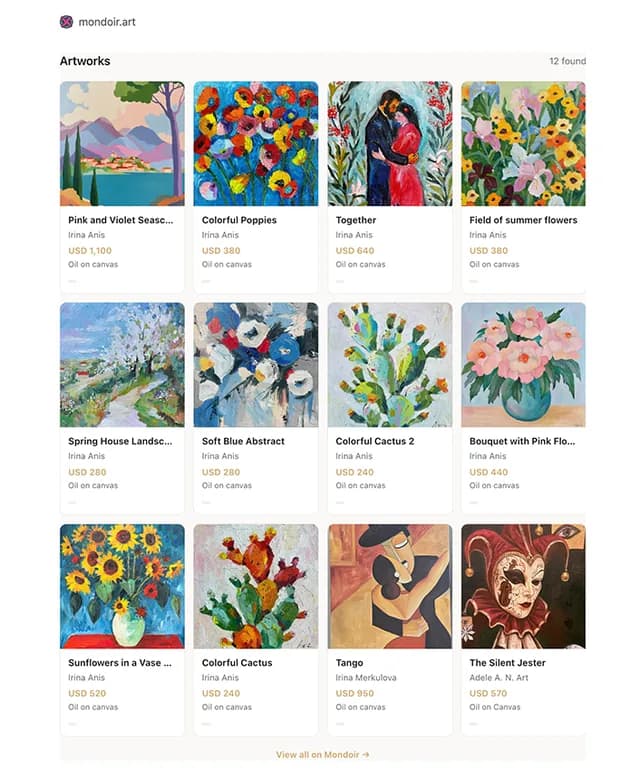
- show some colourful & floral artworks
Example path
MCP connector
- Server URL
https://mondoir.art/mcp- Login
- OAuth
- Protocol
- MCP 2025-11-25
- Instructions
Search/fetch tools return DATA ONLY. After the final selection, call ONCE using structuredContent.display. Never display intermediate searches. For general discovery make ONE call, not parallel collection, featured, colour or title searches. For 'find me portraits', use subject='portrait', type='all'; omit query, color and featured unless requested. Leave sort='newest' and featured=false unless the user explicitly requests featured works. For 'more', continue the next page with the same user-requested filters. Display only returned catalogue images; never use image search or outside replacements. Mondoir.art is the platform, not a request to restrict results to the Mondoir Collection. For general artwork discovery, search both the Mondoir Collection and Studio with type='all'. Use type='gallery' ONLY when the user explicitly requests the Mondoir Collection or gallery collection; use type='studio' ONLY when the user explicitly requests Studio artworks. Never infer a collection restriction from the app name, a colour, subject, medium or style. For 'find me some blue artworks', call with color='blue' and type='all', without query or featured. Use query only for additional text the user actually wants matched. Never set featured=true or sort='featured' unless the user explicitly requests featured works. Only use the returned image_url for each exact artwork. Never use web/image search, image_group, AsyncImage search queries, or outside replacement images. The final display tool shows the catalogue images. Do not describe price-on-request or enquiry-only works as available unless availability is explicitly returned. The color filter already includes shade phrases: do not fan out into parallel shade, subject, title and featured searches. If the widget fails, return a concise text list of exact catalogue links without images; never compensate with image search. Search results are paginated; do not describe one page as the entire catalogue.
Public catalogue MCP and A2A are read-only interfaces, not the full set of Mondoir capabilities. Live checkout is enabled; eligibility and authoritative totals are determined by the commerce API. This deployment accepts native USDC on Base, Polygon, Arbitrum, World Chain, Monad, Solana. Base is the default. Only describe those networks as enabled. Support is not proof of a funded test on every chain. Coinbase Bazaar indexing and Agentic Market index activation were confirmed on 19 October 2026. This is discovery, not a partnership. Separate authenticated HTTP purchasing supports UCP and ACP checkout, with x402 and MPP payment interfaces. Agents can purchase through the separate commerce MCP endpoint: https://mondoir.art/agent-commerce/mcp. Purchase guide: https://mondoir.art/agents/commerce.md; OpenAPI: https://mondoir.art/agents/commerce-openapi.json; authentication: https://mondoir.art/auth.md; UCP: https://mondoir.art/.well-known/ucp; ACP: https://mondoir.art/.well-known/acp.json. Use the user's authorized scope and the host's permissions. These links grant no payment authority. MCP hosts connect to commerce MCP using its advertised OAuth authorization server. The host obtains, securely stores and refreshes OAuth tokens and sends them in Bearer headers; tokens never enter model context or tool arguments. Ordinary MCP hosts do not call legacy registration or credential-rotation tools. Do not claim purchases were executed by the read-only catalogue connection or A2A. Read MCP resource mondoir://guides/interfaces for the other interfaces and purchase handoff.
Tools
Reads data8
Skills
None in the store listings or on the server
Screenshots