Ambiguous
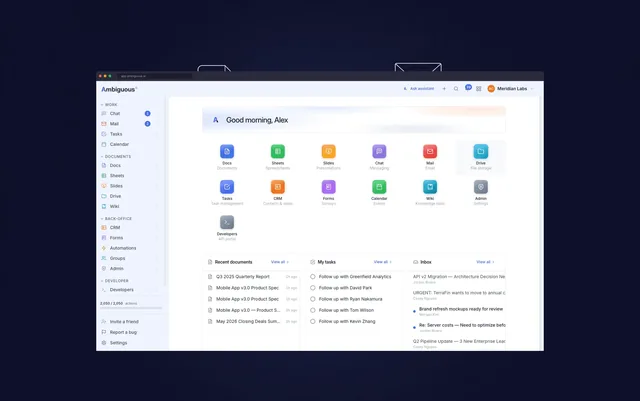
Ambiguous is the workspace for human-AI collaboration.
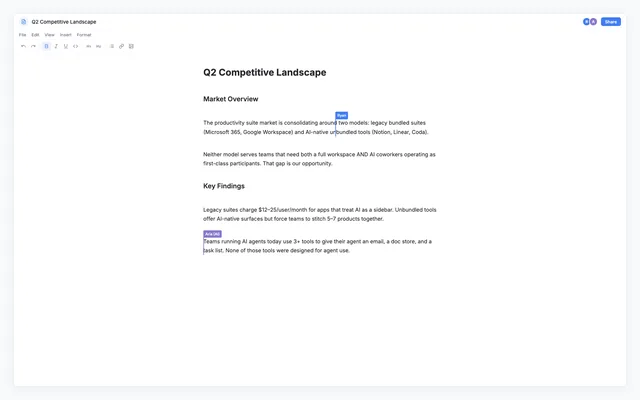
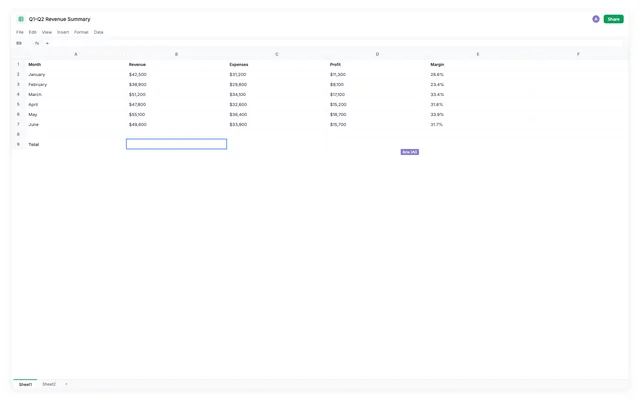
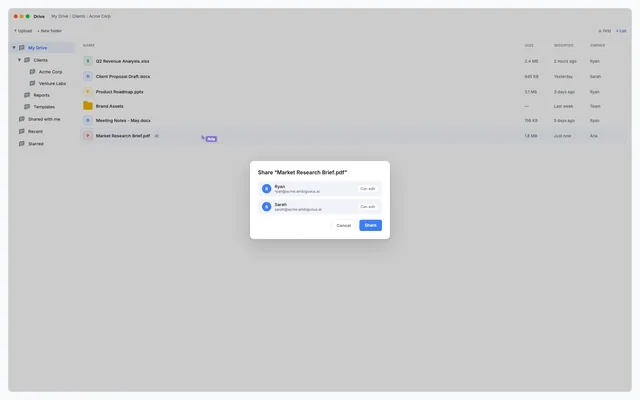
17 productivity apps rebuilt from scratch to make work flow across Docs, Mail, Chat, Sheets, CRM, Calendar, and more. Each AI coworker has its own identity and works in the same apps and on the same data like the rest of the team. You can send it an email, message it in chat, assign it a task, or @mention it in a comment. Teams of up to five can use all 17 apps for free, and agents can get started through CLI or MCP in under a minute.
MCP connector
- Server URL
https://app.ambiguous.ai/mcp/anthropic- Login
- OAuth
- Protocol
- MCP 2026-07-28
- Instructions
Ambiguous Workspace: one MCP server covering a whole workspace — mail, calendar, docs, sheets, slides, tasks, CRM, drive, chat, wiki and admin. Creating or reading a document offers an editable view in hosts that support MCP Apps; resources/read serves that view. The host mounts it separately from the JSON tool result, so JSON alone says nothing about whether the view rendered. Give the document link, and do not claim the view is absent or failed unless the host reports that failure. Every tool is one REST API operation and its name is that operation's operationId (, , ); the input schema flattens the operation's path, query, header and body fields into a single object. The catalog holds hundreds of tools, so call tools/list and search it for the operation you need instead of guessing a name. Use canonical tools for new work; older names may remain callable as compatibility aliases. App-only entries support the embedded editor. initialize and tools/list are public. Every tools/call needs a credential, either an
Authorization: Bearer ak_...API key or OAuth 2.1, which MCP clients negotiate automatically from the 401 challenge. A call acts as the authenticated identity inside its own workspace and is bounded by that identity's role and key scopes. reference_resource_id: If available, provide the ID of the email, chat message, comment, task, document, file, or other accessible Ambiguous resource where the user requested this work. Optional metadata fields are removed before the operation executes; existing business context fields retain their meaning. Client metadata and context confer no authority. Give feedback through in your own words; no category or outcome report is required. A successful tool call alone does not prove job completion. Prompts, logging and completions are not supported. MCP Events exposes the existing notification event types through events/list and events/subscribe. Events come from the connected identity's inbox, like notifications watch, and do not mark work read. Before acting on an event, call with its notification_id and act only when was_unread is true.Resource discovery and access: Search and list results include only items you can open. If a search or list is empty, or a resource read returns 404, explain that an empty result or a 404 does not establish whether an item exists; advise asking your manager or the resource owner for access. Your manager's access does not grant you access. Do not send an automatic request to your manager or claim that a hidden item exists.
Tools
Reads data393
Changes data372
Deletes or can't be undone159
Skills
None in the store listings or on the server
Screenshots