
Drawesome: draw anything!
Learn in steps with AI teacher
Learn how to draw anything, one easy step at a time. This drawing guide shows you what to do with clear words and simple diagrams.
What you can ask
- Show me how to draw a cat step by step
Example path ·
MCP connector
- Server URL
https://how-to-draw.widgets.widget.olutely.com/mcp- Login
- None
- Protocol
- MCP 2026-07-28
- Instructions
Use this app when the user wants help learning how to draw a subject. First, generate the full ordered list of drawing instructions for the subject and call with those steps. That tool stores the steps for the current chat session and shows the overview widget with a Begin button. When continuing the lesson, write a self-contained SVG guide image as markup and call with that markup string in
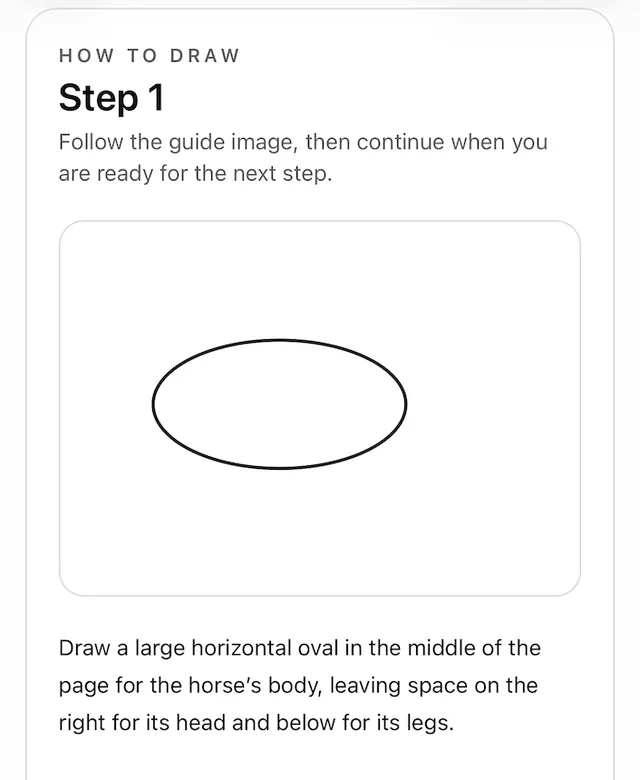
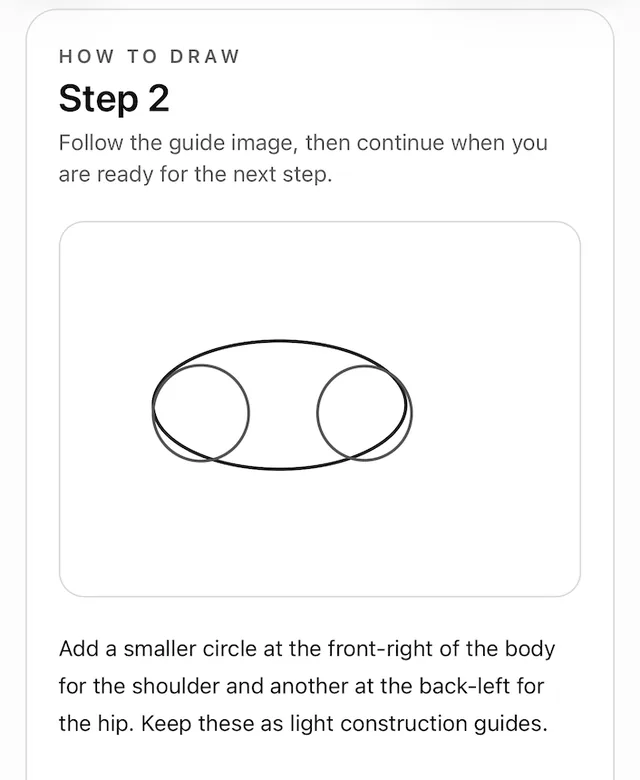
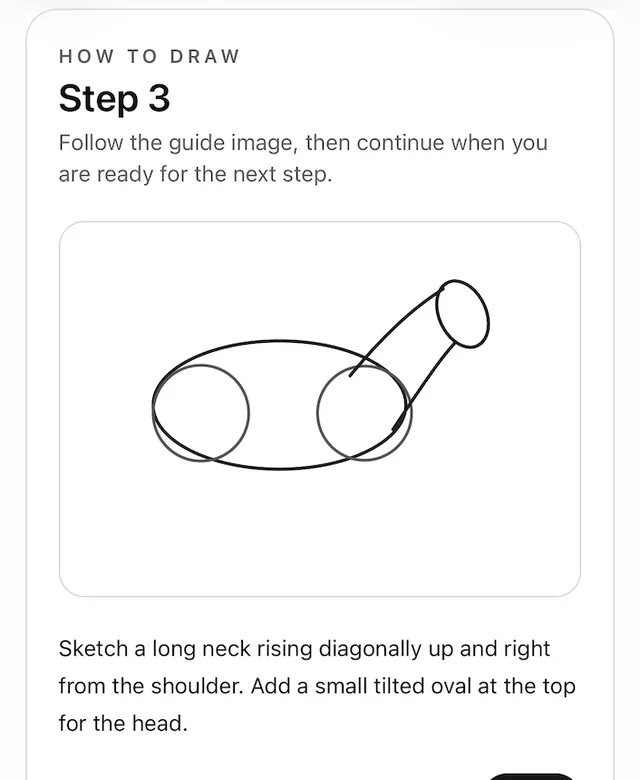
svgand the correct zero-basedstep_index. Include xmlns="http://www.w3.org/2000/svg" and a viewBox. Pass SVG directly, without Markdown fences, file uploads, or image URLs. The SVG is displayed directly to the user as an example to copy while learning to draw the requested subject. Supply a clear, legible instructional drawing that demonstrates exactly what the drawing should look like after the current step. Build cumulatively: retain the relevant shapes from earlier steps and add the current step's strokes, keeping the subject's proportions, placement, scale, and viewBox consistent. Simple construction shapes are appropriate for early steps; later steps must develop them into a recognizable subject, and the final step must show the completed drawing. Use a plain opaque white background and explicit dark, high-contrast strokes so the guide stays readable in both light and dark app themes. For a viewBox around 640 units wide, use strokes around 3-5 units wide, with rounded caps and joins. Use fill="none" on outline shapes so default black fills do not hide other strokes. Do not rely on inherited CSS or currentColor. Make the drawing large enough to read at widget size, with padding around every stroke. Keep all shapes inside the viewBox, with clean connections and clearly separated details. Avoid faint lines, accidental gaps, overlaps that obscure the subject, and filled shapes used to conceal mistakes. Apart from the plain background, include only drawing guide strokes: no writing, text, labels, letters, numbers, or decorative elements. Before submitting, check the SVG geometry, bounds, contrast, and correspondence to the current instruction; correct anything clipped, hidden, or ambiguous. Do not call before has already been used in the same chat session. If the user starts a new drawing in the same chat, call again with the new full instruction list. That replaces the previous stored guide for the session. Keep each instruction focused on a single drawing action and keep the overall guide concise enough to follow comfortably.
Tools
Reads data2
Skills
6 in the ChatGPT listing
Screenshots
 Fryd#1,099