HydroGardenAdvisor
Plan, check, harvest smarter
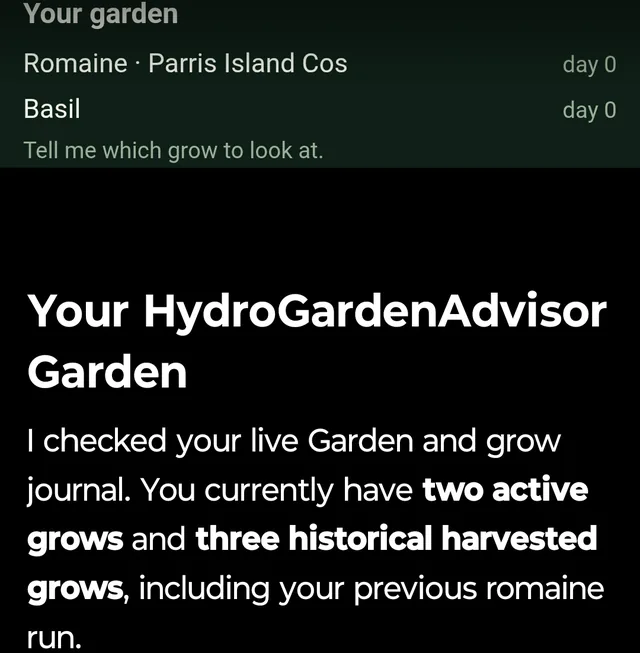
HydroGardenAdvisor is a growing coach for hydroponic lettuce, leafy greens, herbs and fruiting vegetables. Connect your account and your AI works with your real garden: plan a setup for the crop and system you are running, check on your plants mid-grow from a photo, and log a harvest for a cycle assessment, with every grow saved to your Garden and every harvest's lessons carried into the next cycle. Setup plans are built for the specific crop and system, not a generic formula: the photoperiod that fits the crop (most kits default to 16 hours, which bolts lettuce that wants 12 to 14), EC and pH target ranges, water temperature, a cycle timeline, the failure modes to watch for, and a nutrient mix scaled to your reservoir size for Masterblend, MaxiGro, General Hydroponics 3-part or Campbells. 26 crops are covered across lettuce, leafy greens, herbs and fruiting vegetables such as tomato, pepper, cucumber and strawberry. Plant checks work from a photo plus your EC, pH and water-temperature readings: tip burn, light burn, etiolation, early bolt, root rot or a nutrient deficiency, named and prioritized. Logging a harvest returns a cycle assessment (what worked, what to change) with concrete adjustments carried forward into the next setup plan for the same crop, so lessons compound instead of repeating. The dosing calculators (nutrient mix, pH adjustment, EC correction, lux to PPFD to DLI) run the same code as the app's own screens. Your Garden shows every active grow with day count, growth stage and latest readings; the journal keeps dated, permanent notes and every harvested grow; repeat runs of one crop can be compared side by side. Photos never travel through the conversation. HydroGardenAdvisor hands you a private, single-use upload link; photos are held for at most 15 minutes and deleted after analysis. Setup plans are unlimited; photo diagnoses and harvest assessments are each limited to 3 a month and 20 in total. A companion app for iPhone and Android shares the same account and Garden; the app is not required. Signing in sends an 8-character code to your email. No password, no card.
What you can ask
- Use HydroGardenAdvisor to plan a setup for Romaine lettuce in a Kratky system.
Example path
MCP connector
- Server URL
https://api.hydrogardenadvisor.app/mcp- Login
- OAuth
Tools
Reads data9
Changes data7
Deletes or can't be undone2
Skills
None in the store listings. The server needs sign-in, so we could not check it
Screenshots