
Claude
- Open Domain for Anything by WeInc in the Claude directory ↗
- Click Connect
- Sign in to your account

WeInc·Cloud, data & infrastructure·Live in
Domain for Anything by WeInc puts your own domain on whatever you already use.
Say "point acme.com to my Linktree" and your AI sets it up in seconds: WeInc issues the secure https certificate and gives you the one DNS record to add where you bought the domain. Email on the domain keeps working.
What you can do:
Point a domain at any https page: a Notion page, Linktree, Shopify store, booking page, Google Doc or anything else.
Put a page made in your AI, or a WeInc website, on your own domain.
Move an old domain to a new site, keeping every path.
Ask "is this domain free?" or "is my domain working?".
Change where a domain points, or disconnect it, any time.
Safe by design: shortened links, downloads, non-https addresses and fake sign-in pages are refused, and nothing is bought in the chat.
Starters: "Connect my domain", "Point my domain to my Notion page", "Use my own domain", "Is this domain free?", "Is my domain working?".
Needs a WeInc account; you can create one free when your AI asks you to sign in. Forwarding your domain to any link is free. Putting your WeInc website on your own domain is part of Starter.
Claude rank
https://my.we.inc/api/domain/mcp

https://my.we.inc/api/domain/mcpmy.we.incconnect_my_domaindisconnect_my_domainimport_pageis_my_domain_workingis_this_domain_freemy_domainsmy_websitespoint_my_domainpublish_websiteNot found; the server needs sign-in so there may be skills that our scan couldn't access
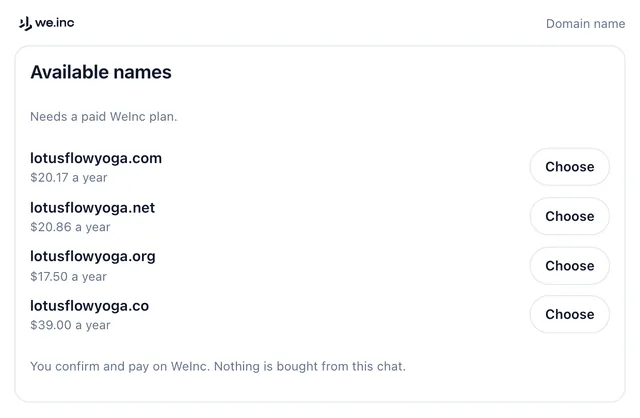
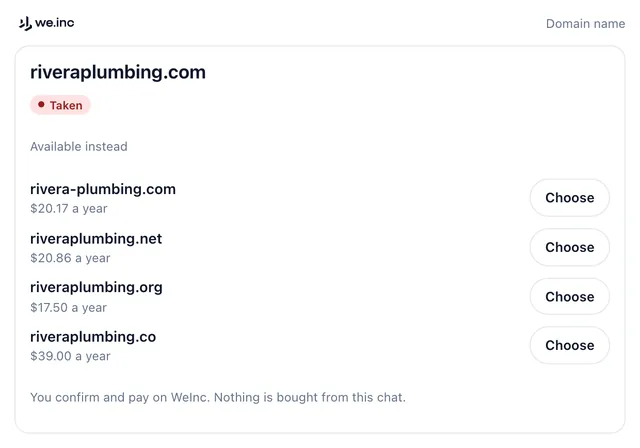
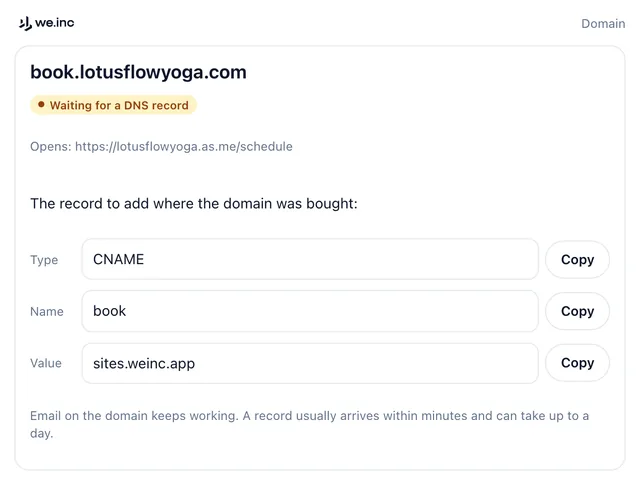
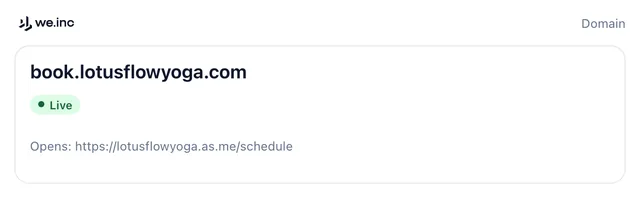
Domain for Anything by WeInc puts your own domain on whatever you already use. Say "point acme. com to my Linktree" and your AI sets it up in seconds: WeInc issues the secure https certificate and gives you the one DNS record to add where you bought the domain. It is listed under Cloud, data & infrastructure.
Open its listing in the app's connector directory and connect. Sign in to your account in the browser window that opens. It uses OAuth, so the AI never sees your password. Step-by-step setup for each app is on this page.
The Domain for Anything by WeInc MCP server URL is https://my.we.inc/api/domain/mcp. Paste it as a custom connector in Claude, ChatGPT, Gemini or Grok, or add it to Claude Code, Cursor or any MCP client. Setup steps.
Yes. Domain for Anything by WeInc is published or run by WeInc, so it is the official MCP server. See other official connectors.
It is listed in 1 store: Claude. Apps where it is not listed can usually still add it as a custom connector.
It is ranked 6,395 of 13,092 in the Claude directory. A rank is the store's own order, not a usage count. How we track ranks.
It has 9 tools: 9 change data. See every tool and its inputs.
It can change data but not delete it. 9 tools can create or update things, for example:
None that we found. Not found; the server needs sign-in so there may be skills that our scan couldn't access.
Yes. Some of its tools show an interactive widget in the chat, not only text. See more connectors with interactive UI.
This page updates every day. To ask about Domain for Anything by WeInc from Claude, ChatGPT or a coding agent, connect the Agent Ready MCP server: it tracks ranks, tools and new listings across the AI plugin stores.