
Claude
- Open grooph in the Claude directory ↗
- Click Connect
- No sign-in needed: ask away

Live in
Grooph shows a working metronome right inside the conversation.
Ask for the click you need and your AI sets it up: any tempo from 20 to 300 bpm, time signatures from 1/4 to 7/4, 3/8 to 13/8 and 5/16 to 19/16, beat groupings such as 2+2+3 in 7/8, subdivisions from eighths to triplets, quintuplets and thirty-seconds, a click bar of your own with accents, ghost notes and rests, swing from straight to dotted, and polyrhythms such as 3:2, 5:4 or 7:5 against the beat.
The metronome appears as a compact card with the tempo, the click on a staff and the beats of the bar on a ring. Tap play to start it. Fullscreen shows all of grooph's metronome controls, and the changes you make there come back to your AI, so you can keep refining the setting in the conversation ("a bit faster", "now with swing"). "Open in grooph" opens the same metronome in the full app at grooph.app, which adds a rhythm generator for sight-reading, timing practice and a library of your own rhythms.
No account is needed, neither for grooph nor for the connector. The connector stores nothing and only receives the metronome settings your AI chooses.

https://grooph.app/mcp

https://grooph.app/mcpgrooph.appThe AI reads these server instructions before using this connector, every time.
Grooph is a metronome and rhythm trainer. Its tool shows an interactive metronome for a tempo, time signature, beat grouping, subdivision or click pattern, polyrhythm and swing.
show_metronomeNone in the store listings or on the server
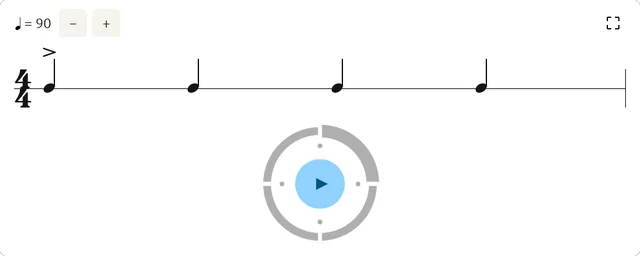
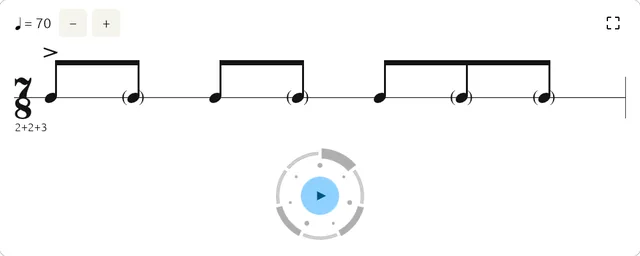
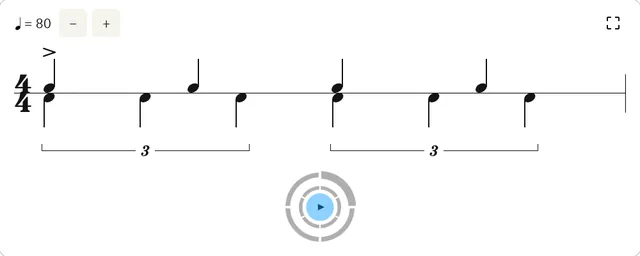
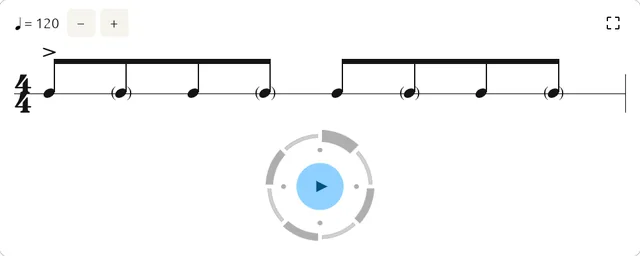
Grooph shows a working metronome right inside the conversation. Ask for the click you need and your AI sets it up: any tempo from 20 to 300 bpm, time signatures from 1/4 to 7/4, 3/8 to 13/8 and 5/16 to 19/16, beat groupings such as 2+2+3 in 7/8, subdivisions from eighths to triplets, quintuplets and thirty-seconds, a click bar of your own with accents, ghost notes and rests, swing from straight to dotted, and polyrhythms such as 3:2, 5:4 or 7:5 against the beat. The metronome appears as a compact card with the tempo, the click on a staff and the beats of the bar on a ring.
Open its listing in the app's connector directory and connect. No sign-in is needed. Step-by-step setup for each app is on this page.
The grooph MCP server URL is https://grooph.app/mcp. Paste it as a custom connector in Claude, ChatGPT, Gemini or Grok, or add it to Claude Code, Cursor or any MCP client. Setup steps.
Yes. grooph is published or run by grooph, so it is the official MCP server. See other official connectors.
It is listed in 1 store: Claude. Apps where it is not listed can usually still add it as a custom connector.
It has 1 tool: 1 read data. See every tool and its inputs.
No. All of its tools only read data.
None that we found. None in the store listings or on the server.
Yes. Some of its tools show an interactive widget in the chat, not only text. See more connectors with interactive UI.
This page updates every day. To ask about grooph from Claude, ChatGPT or a coding agent, connect the Agent Ready MCP server: it tracks ranks, tools and new listings across the AI plugin stores.