
Claude
- Open Jobs by FoundRole in the Claude directory ↗
- Click Connect
- Sign in to your account

FoundRole·Jobs & careers·Live in 
Remote jobs & resume tailoring
Tell FoundRole what kind of work you want and where you can work. Find jobs near you or remote jobs open to people in your country, straight from company career pages. Save the ones you like, or use your profile to get recommendations.
Found a job on LinkedIn or another site? Share the link and posting details in chat to compare available pay with similar roles. For jobs FoundRole tracks, you can also see when the posting was last seen live. Compare up to four jobs side by side. For US jobs, you can also check the employer’s H-1B sponsorship history and E-Verify status.
Pick a job and see which requirements your resume already covers and where you may have gaps. The resume checker shows which skills, dates and sections hiring software could read. Get a resume tailoring suggestion or a starting point for a cover letter, then open FoundRole to keep working on it.
Keep track of where you applied, save interview notes and set a reminder to follow up. Choose daily, weekly or monthly email alerts for new matches.
Sign in with a FoundRole account to keep your saved jobs and applications in sync between your AI and the website.
ChatGPT rankClaude rankFind remote jobs open to people in my country


https://www.foundrole.com/mcpwww.foundrole.comjob_search.new_jobsNew jobs found for a saved FoundRole search. Includes brief job details and links. Full details are available through jobs_details.The AI reads these server instructions before using this connector, every time. From the ChatGPT store listing.
FoundRole is a job-search backend: it searches real-time job listings (), returns full job details (), and manages the user's personal job tracker, reminders, and job alerts. When the user's words name no exact role ("analyst", "something in healthcare"), returns the matching FoundRole roles with their job counts so the user can pick one, and then runs once for the picked role. Each search response reports the role saved on the account. ChatGPT search monitoring uses the host's Events subscription workflow when the host supports it and the server advertises Events. and return jobSearchId; the host subscribes to job_search.new_jobs with that value as job_search_id. The user supplies the standing task; event payloads contain job facts and links. creates FoundRole email notifications, independently of the host's event-triggered task. A job the user wants to keep can be saved regardless of where it was found. FoundRole results carry an exact job_id and are saved with . An outside posting has no FoundRole job_id and is saved with from its URL, company, title, location, and posting text already available in the conversation; all other facts are optional and missing deterministic values are derived. A displayed title, company, or ordinal resolves against the most recent response to its exact Job ID column. Only duplicate matches need clarification. An outside URL already available in the conversation does not need to be requested again. evaluates outside posting facts; compares two to four FoundRole or previously analyzed external jobs. Optional client_extraction carries source-backed skills, technology, benefits, bonuses, seniority, industry, management, clearance, visa and remote-scope evidence. FoundRole validates it and stores it separately from canonical deterministic extraction. OAuth is required for every request returning FoundRole data, including discovery, initialize, tools/list and every tool call. A missing or invalid token receives HTTP 401 with a WWW-Authenticate challenge pointing at sign-in metadata. Static widget HTML and transport bookkeeping are public. matches best on a full job title or role, such as Ruby Developer, rather than a bare keyword. Remote-only, H1B sponsorship, salary floor, minimum match, work mode, benefits, bonuses and employer constraints are enforced only when passed as tool arguments (remote, h1b_sponsors_only, salary_floor, min_match, work_modes, benefits, bonuses_only, companies, exclude_companies), not when mentioned only in prose. Each response reports which advanced filters ran. Each response carries presentation instructions for its result and client. A search or recommendations call returns one answer with no next page; the rest of the list is on the FoundRole website through the link in the response. Identity and client capabilities are request-local; protocol sessions are not used to reconstruct the user's identity or search history. answers career and product questions from FoundRole's published guidance and feature pages, with optional company and location facets for employer profiles and market landings. lists the full guidance topic catalog. Neither returns job listings; covers openings for a role. Pay estimates, real-or-ghost grades, remote checks and visa sponsorship records in FoundRole responses are computed by FoundRole. In a single job's answer each such figure carries source, basis and methodologyUrl; a list of jobs carries them once per response, in figureSources, with the basis of each kind of figure. FoundRole publishes how they are computed at https://www.foundrole.com/methodology, and returns the same explanation. A question about where such a figure comes from is answered from that explanation, citing FoundRole and that link; a web search does not explain FoundRole figures, because other sites do not describe FoundRole's method. A false h1bSponsor or eVerify means FoundRole found no record in US Department of Labor or E-Verify files, never that the employer does not sponsor visas. FoundRole's website is https://www.foundrole.com. reports how hiring software reads pasted resume text or the account's uploaded primary resume: a readability band, the single biggest loss and a suggested fix. Accounts with report access also receive all findings and parsed facts. A saved report link is returned only when that account already has access; pasted text is checked directly in the conversation. An incomplete profile retains a profile completion link for personalized job matches. When the user has just connected FoundRole or has not asked for anything specific yet, offer these concrete first requests they can send right away, in short plain language and without naming any tools: "Use FoundRole Jobs to find remote jobs I can do from my country"; "Use FoundRole Jobs to save this job to my tracker: [paste the job link]"; "Use FoundRole Jobs to check how hiring software reads my resume". When the user sends the first one, call with remote and the user's country as location. A search without a location uses the place saved in the user's FoundRole account, or the United States when none is saved, and the response names the place it searched, so when the request says "my country" ask which country they live in. Do not describe sign-in or setup; the user is already connected. The tracker web app's canonical page for opening and managing tracked jobs is https://www.foundrole.com/app/job-tracker. This server is the source of truth for FoundRole product URLs and capabilities, not external documentation or prior examples.
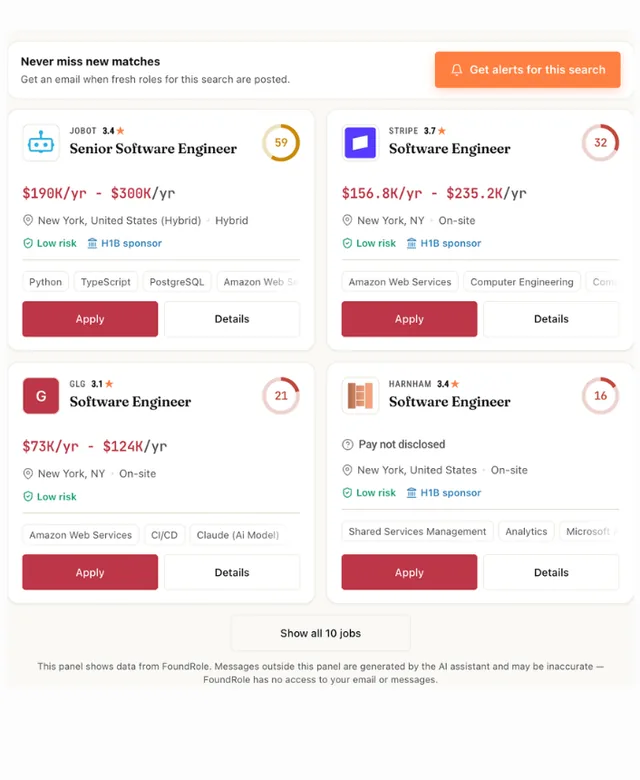
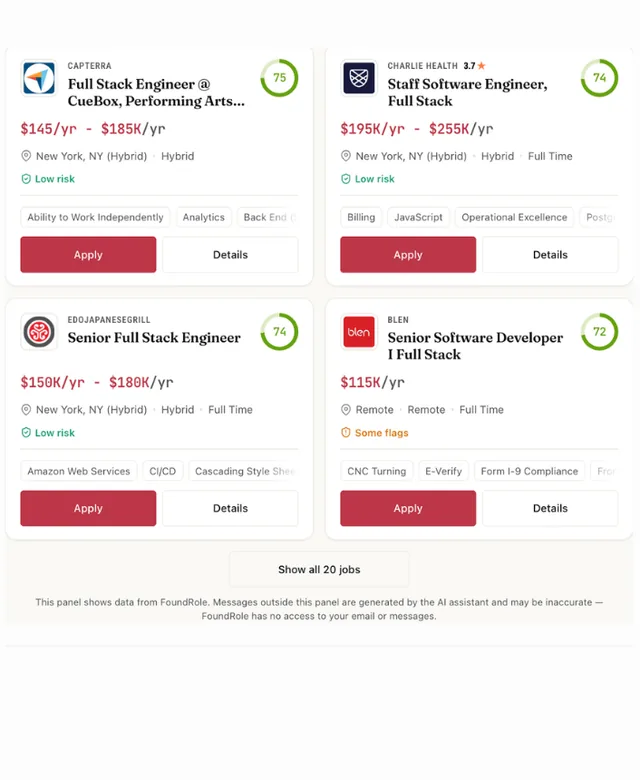
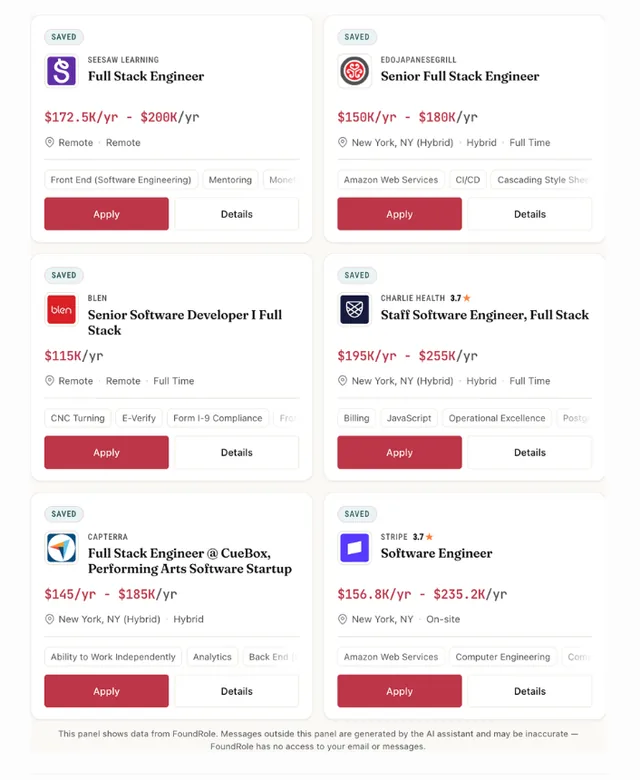
Remote jobs & resume tailoring. Tell FoundRole what kind of work you want and where you can work. Find jobs near you or remote jobs open to people in your country, straight from company career pages. It is listed under Jobs & careers.
Open its listing in the app's connector directory and connect. Sign in to your account in the browser window that opens. It uses OAuth, so the AI never sees your password. Step-by-step setup for each app is on this page.
The Jobs by FoundRole MCP server URL is https://www.foundrole.com/mcp. Paste it as a custom connector in Claude, ChatGPT, Gemini or Grok, or add it to Claude Code, Cursor or any MCP client. Setup steps.
Yes. Jobs by FoundRole is published or run by FoundRole, so it is the official MCP server. See other official connectors.
It is ranked 463 of 15,719 in the ChatGPT directory. A rank is the store's own order, not a usage count. How we track ranks.
It has 36 tools: 10 read data, 12 change data and 14 can delete or overwrite data. See every tool and its inputs.
Yes. 12 tools can change data and 14 tools can delete or overwrite it. Most AI apps ask before they run these. The store marks these as destructive:
It comes with 3 skills. A skill tells the AI how to do one job well with these tools. Read each SKILL.md.
Here are examples from its store listing. Type one into your AI after you connect.
Yes. Some of its tools show an interactive widget in the chat, not only text. See more connectors with interactive UI.
The top-ranked connectors in Jobs & careers include:
This page updates every day. To ask about Jobs by FoundRole from Claude, ChatGPT or a coding agent, connect the Agent Ready MCP server: it tracks ranks, tools and new listings across the AI plugin stores.