
Claude
- Open Reaction Cue Lab in the Claude directory ↗
- Click Connect
- No sign-in needed: ask away

NebulaCafe Studio·Live in
Reaction Cue Lab gives your AI a tool that does one job with fixed code: run explicit randomized visual cue trials, export actual response and false-start observations, analyze supplied reports and compare completed matching conditions.
Your AI cannot time a reaction. The panel shows a cue after a random wait, times your response in the browser, counts false starts and timeouts separately, and compares two sessions.
Limits: Measures a browser frame callback to a trusted input-handler interval, not physical pixel onset, hardware latency, clinical reaction ability or a population ranking. Explicitly start each trial in the visible view; random planned waits are 600–2500 ms and cue timeout is 3000 ms. False starts and timeouts consume a trial and never become zero-time responses. Only the selected focused Space key or primary pointer target is observed; repeats, other keys and synthetic events are ignored. Focus loss, hiding, width/zoom or workflow changes stop and preserve partial observations. No background input capture or persistent history. Supplied reports are editable and unauthenticated.
Nothing is stored. There is no sign-in and no AI model is used.

https://nebulacafe.studio/claude/reaction-cue-lab/mcp

https://nebulacafe.studio/claude/reaction-cue-lab/mcpnebulacafe.studiocue_lab_analyzecue_lab_comparecue_lab_preparecue_lab_workspaceNot found; the server did not answer our scan so there may be skills that we couldn't see
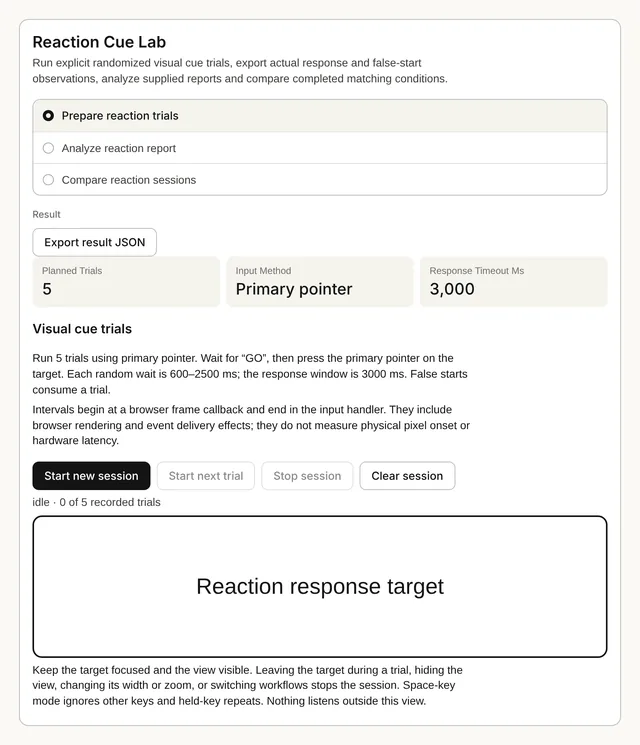
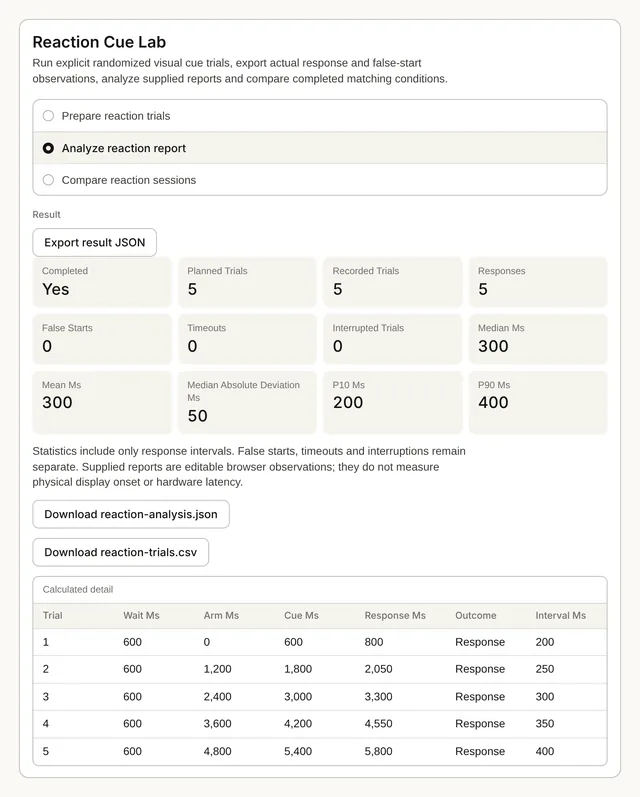
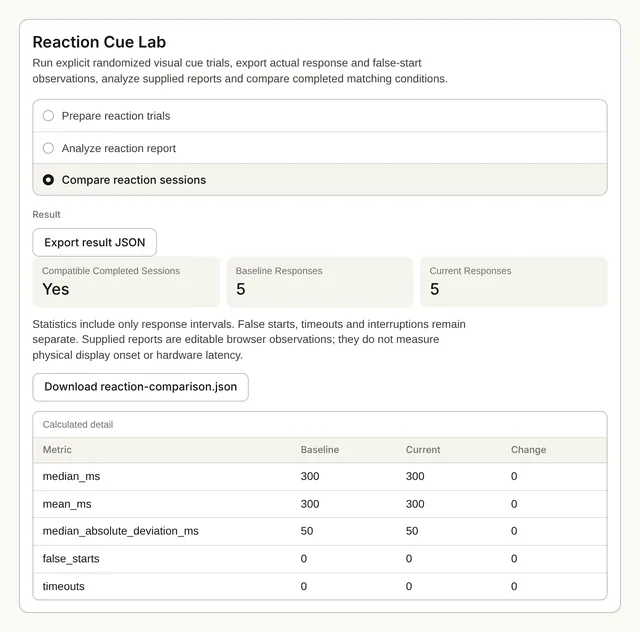
Reaction Cue Lab gives your AI a tool that does one job with fixed code: run explicit randomized visual cue trials, export actual response and false-start observations, analyze supplied reports and compare completed matching conditions. Your AI cannot time a reaction. The panel shows a cue after a random wait, times your response in the browser, counts false starts and timeouts separately, and compares two sessions.
Open its listing in the app's connector directory and connect. No sign-in is needed. Step-by-step setup for each app is on this page.
The Reaction Cue Lab MCP server URL is https://nebulacafe.studio/claude/reaction-cue-lab/mcp. Paste it as a custom connector in Claude, ChatGPT, Gemini or Grok, or add it to Claude Code, Cursor or any MCP client. Setup steps.
Yes. Reaction Cue Lab is published or run by NebulaCafe Studio, so it is the official MCP server. See other official connectors.
It is listed in 1 store: Claude. Apps where it is not listed can usually still add it as a custom connector.
It has 4 tools: 2 read data and 2 change data. See every tool and its inputs.
It can change data but not delete it. 2 tools can create or update things, for example:
None that we found. Not found; the server did not answer our scan so there may be skills that we couldn't see.
Yes. Some of its tools show an interactive widget in the chat, not only text. See more connectors with interactive UI.
This page updates every day. To ask about Reaction Cue Lab from Claude, ChatGPT or a coding agent, connect the Agent Ready MCP server: it tracks ranks, tools and new listings across the AI plugin stores.