
Claude
- Open Thortspace in the Claude directory ↗
- Click Connect
- Sign in to your account

Gooisoft Ltd·Docs, files & email·Live in
Thortspace is a place to think in three dimensions.
Each idea is a Thort: a short statement of a thought. Thorts sit in groups on spheres around a central question, and pathsteps join them, each saying how one idea bears on another: it answers, challenges, supports or develops it. Arrangements can be private, shared with a few people, or published for anyone to explore.
With this connector, your AI works in your Thortspace as you. You can ask it to:
keep what you've worked out in a conversation as an arrangement, with a group for each theme
read an arrangement back, summarise it, or say what's missing
add Thorts and groups, connect them, and name each connection
mark what kind of idea each Thort is (a question, a position, an objection…) and give a group a public-domain picture from Wikimedia Commons
move, merge and reorder, or link one arrangement to another
make a journey: a guided route through an arrangement that anyone can play
publish an arrangement, keep it private, or add people to think with you
What your AI does appears at once for anyone with the arrangement open. It can be undone, and it is marked as made by an AI.
Sign-in is by OAuth: your AI never sees your password, and you can disconnect it from your arrangements page at any time. A free account is enough (sign up at thort.cloud); accounts from Thortspace version 1 work too.
Claude rank
https://thort.cloud/mcp

https://thort.cloud/mcpthort.cloudadd_groupadd_journey_stepadd_memberadd_thortadmit_memberanswer_notificationarrangement_settingsblock_membercopy_arrangementcreate_arrangementcreate_journeyedit_categoryedit_journey_stepedit_thortfind_thortsimport_v1_sphereinsert_thortjoin_arrangementleave_arrangementlinklink_arrangementlist_arrangementslist_categorieslist_journeyslist_memberslist_notificationslist_path_typeslist_v1_spheresmake_groupmerge_groupmove_embedded_arrangementmove_thortmy_accountorder_journeyplace_groupread_arrangementread_journeyrename_journeyreorder_thortsearch_arrangementsset_categoryset_linkset_my_nameset_notesset_path_typeset_pictureset_surface_coloursset_visibilitysize_levelthort_placesturn_groupundounlinkunlink_arrangementvotewhats_newarchive_arrangementdelete_arrangementdelete_journeydelete_journey_stepdelete_unused_thortsremove_thortNot found; the server needs sign-in so there may be skills that our scan couldn't access
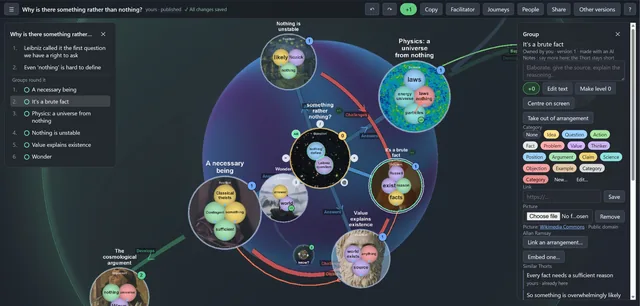
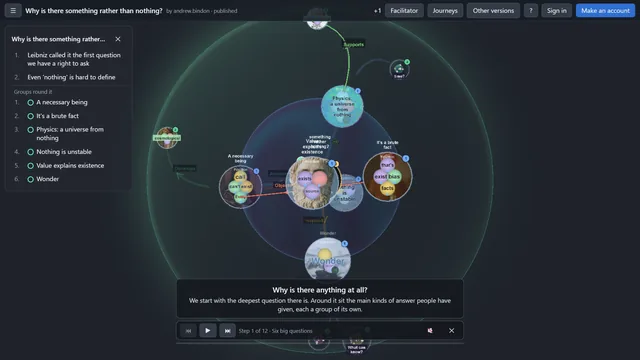
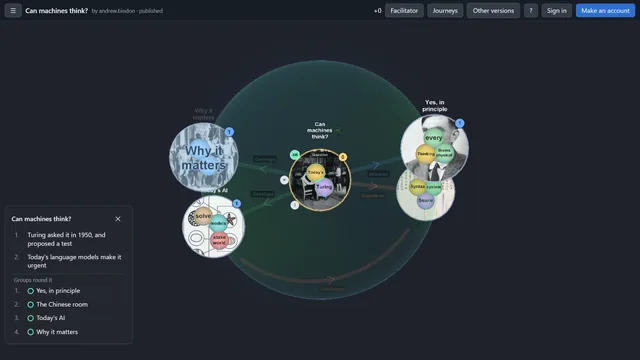
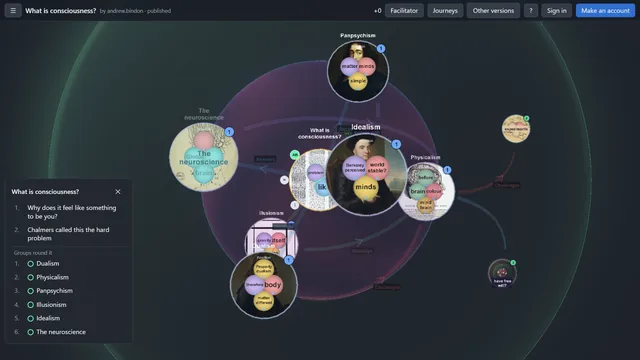
Thortspace is a place to think in three dimensions. Each idea is a Thort: a short statement of a thought. Thorts sit in groups on spheres around a central question, and pathsteps join them, each saying how one idea bears on another: it answers, challenges, supports or develops it. It is listed under Docs, files & email.
Open its listing in the app's connector directory and connect. Sign in to your account in the browser window that opens. It uses OAuth, so the AI never sees your password. Step-by-step setup for each app is on this page.
The Thortspace MCP server URL is https://thort.cloud/mcp. Paste it as a custom connector in Claude, ChatGPT, Gemini or Grok, or add it to Claude Code, Cursor or any MCP client. Setup steps.
Thortspace is a community connector: Gooisoft Ltd does not publish it. Check the publisher before you give it access to your account.
It is listed in 1 store: Claude. Apps where it is not listed can usually still add it as a custom connector.
It is ranked 11,315 of 13,092 in the Claude directory. A rank is the store's own order, not a usage count. How we track ranks.
It has 62 tools: 56 change data and 6 can delete or overwrite data. See every tool and its inputs.
Yes. 56 tools can change data and 6 tools can delete or overwrite it. Most AI apps ask before they run these. The store marks these as destructive:
None that we found. Not found; the server needs sign-in so there may be skills that our scan couldn't access.
No. Its answers come back as text in the chat. Connectors with interactive UI.
The top-ranked connectors in Docs, files & email include:
This page updates every day. To ask about Thortspace from Claude, ChatGPT or a coding agent, connect the Agent Ready MCP server: it tracks ranks, tools and new listings across the AI plugin stores.