
Claude
- Open Smileline in the Claude directory ↗
- Click Connect
- Sign in to your account

SmileLine Technologies Ltd·Sales & CRM·Live in 
Dental practice setup & status
Smileline is the dental practice CRM and front-desk platform for clinics in the UK, Europe and the United States. Connect your AI to your Smileline dental practice through one shared address so your team can work leads, patients, appointments, messages, tasks and reports directly in conversation.
What you can do with Smileline in your AI:
Search and update dental patients and treatment enquiries, and move leads through your pipeline stages.
Check, book, reschedule and update clinic appointments.
Read two-way patient conversations and send replies (with explicit confirmation before anything is sent).
Review today's call queue, create and complete follow-up tasks, add notes and log call outcomes.
Run practice dashboard and conversion reports (speed-to-lead, funnel, lead sources and attendance) and inspect campaign results.
Send a patient a deposit payment link or pause an ad campaign.
Partner agencies: list linked practices, create new dental practices, invite practice owners and check each clinic's setup status.
How sign-in works: connect with OAuth and choose UK & Europe or United States for where your practice's account is hosted, then sign in and pick your practice. Only practice owners and managers (or authorised partner agency members) can approve a connection. Every action runs with your own role's permissions inside your chosen practice, asks for confirmation before sending messages or deleting records, and is recorded in Smileline's audit log. Disconnect anytime in Settings → Integrations.
Not available through your AI: card payments and refunds, billing purchases, paid SMS registration and numbers, ad spend changes, AI image/video generation or editing, AI voice agent/calling setup, clinical records, and calls/recordings. Do these in the Smileline app.
ChatGPT rankClaude rankShow my Smileline dental practice business profile.


https://mcp.smileline.io/mcpmcp.smileline.ioreadsearch_operationswriteNot found; the server needs sign-in so there may be skills that our scan couldn't access
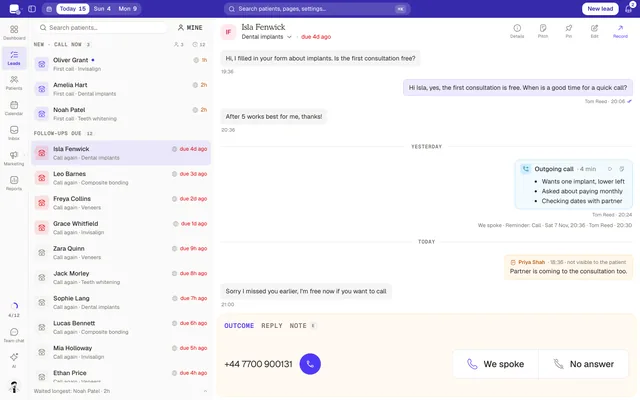
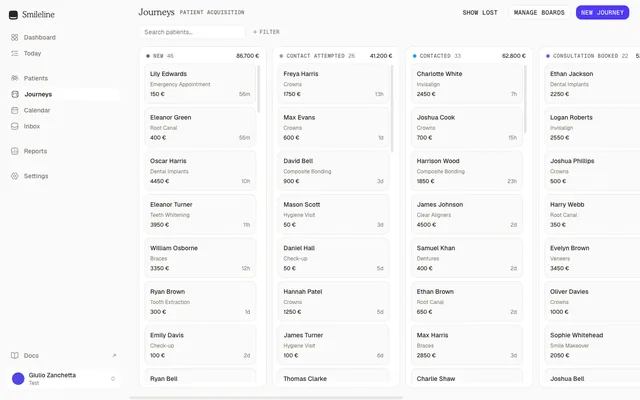
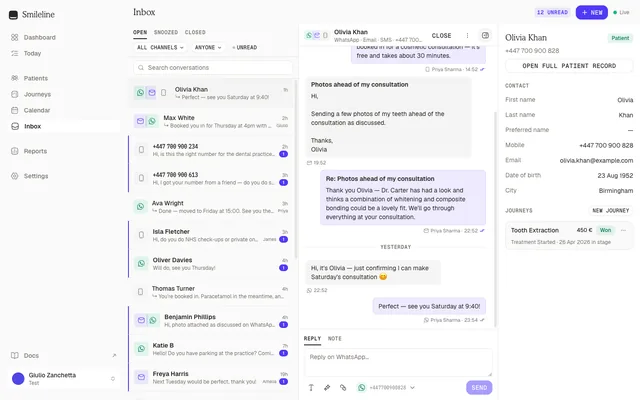
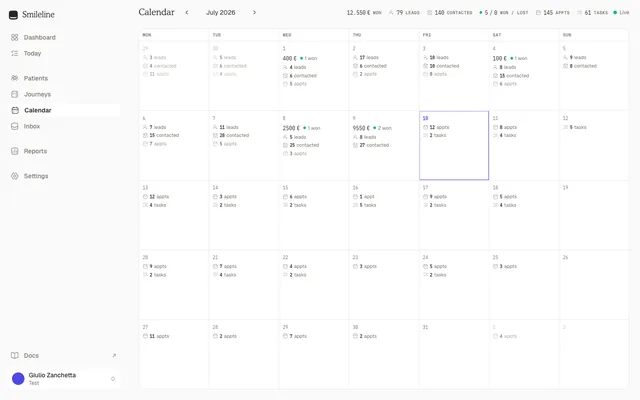
Dental practice setup & status. Smileline is the dental practice CRM and front-desk platform for clinics in the UK, Europe and the United States. Connect your AI to your Smileline dental practice through one shared address so your team can work leads, patients, appointments, messages, tasks and reports directly in conversation. It is listed under Sales & CRM.
Open its listing in the app's connector directory and connect. Sign in to your account in the browser window that opens. It uses OAuth, so the AI never sees your password. Step-by-step setup for each app is on this page.
The Smileline MCP server URL is https://mcp.smileline.io/mcp. Paste it as a custom connector in Claude, ChatGPT, Gemini or Grok, or add it to Claude Code, Cursor or any MCP client. Setup steps.
Yes. Smileline is published or run by SmileLine Technologies Ltd, so it is the official MCP server. See other official connectors.
It is ranked 12,866 of 13,092 in the Claude directory. A rank is the store's own order, not a usage count. How we track ranks.
It has 5 tools: 4 read data and 1 change data. See every tool and its inputs.
It can change data but not delete it. 1 tool can create or update things, for example:
None that we found. Not found; the server needs sign-in so there may be skills that our scan couldn't access.
Here are examples from its store listing. Type one into your AI after you connect.
No. Its answers come back as text in the chat. Connectors with interactive UI.
The top-ranked connectors in Sales & CRM include:
This page updates every day. To ask about Smileline from Claude, ChatGPT or a coding agent, connect the Agent Ready MCP server: it tracks ranks, tools and new listings across the AI plugin stores.